marketing
What Is an NFC Business Card? How It Works vs QR Codes
Tap a card on a phone and your profile opens instantly. Here is what NFC is, how NFC business cards work, how they compare with paper cards and QR codes, which phones can read them, and how to choose one that lasts.
An NFC business card is a physical business card with a small NFC chip and antenna built in. When someone taps it against an NFC-enabled smartphone, within about 4 cm, the phone reads a link from the chip and opens the owner’s digital profile. No app or typing is needed, and the chip needs no battery.
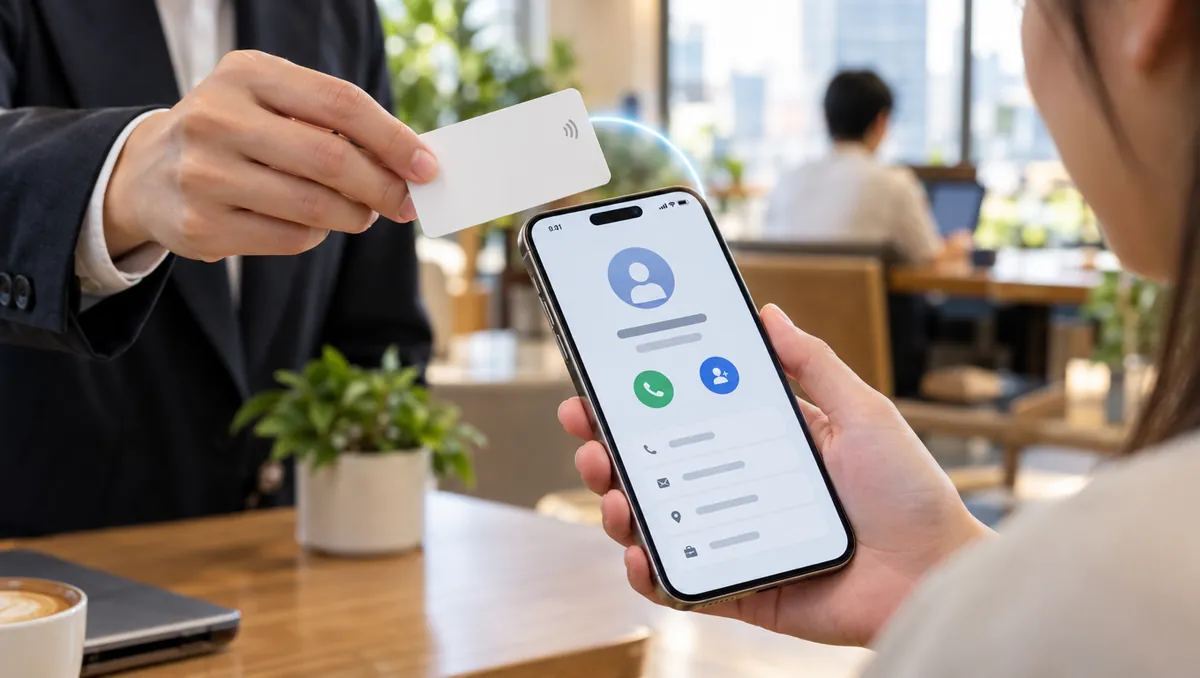
If you’ve ever changed your phone number, job title or office address after printing paper cards, you know the problem. Every card already handed out is outdated, and the rest of the box goes in the bin. NFC business cards solve this, which is why we started our NFC business card service.
This guide explains what NFC is and how NFC business cards work. It compares them with paper cards and QR codes, lists which phones can read them, and covers what to look for so your card lasts. We make these cards ourselves.
What is NFC?
NFC (Near Field Communication) is a wireless technology that works only at very short range. According to Android Developers, NFC generally needs a distance of 4 cm or less to connect. It sends small amounts of data between an NFC tag and a phone, or between two phones. Many people already use it daily to pay with their phone or tap a staff ID card to enter a building.
The short range is an advantage, because data is only read when someone deliberately brings their phone close to the tag. For business cards, it fits an existing habit. Instead of handing over a card to keep, you hand it over to tap.
What is an NFC tag?
An NFC tag is a tiny chip connected to a coil antenna, with no battery. A nearby phone’s signal powers the chip so it can send its data back, so there’s nothing to charge or replace.
Most tags store data in NDEF (NFC Data Exchange Format), a standard defined by the NFC Forum. Because it’s a shared standard rather than tied to any brand or app, both iPhone and Android can read it.
On a business card, the chip usually holds just a URL. Your photo, bio and portfolio live on the web page it points to. Understanding this makes choosing the right NFC business card much easier.
How does an NFC business card work?
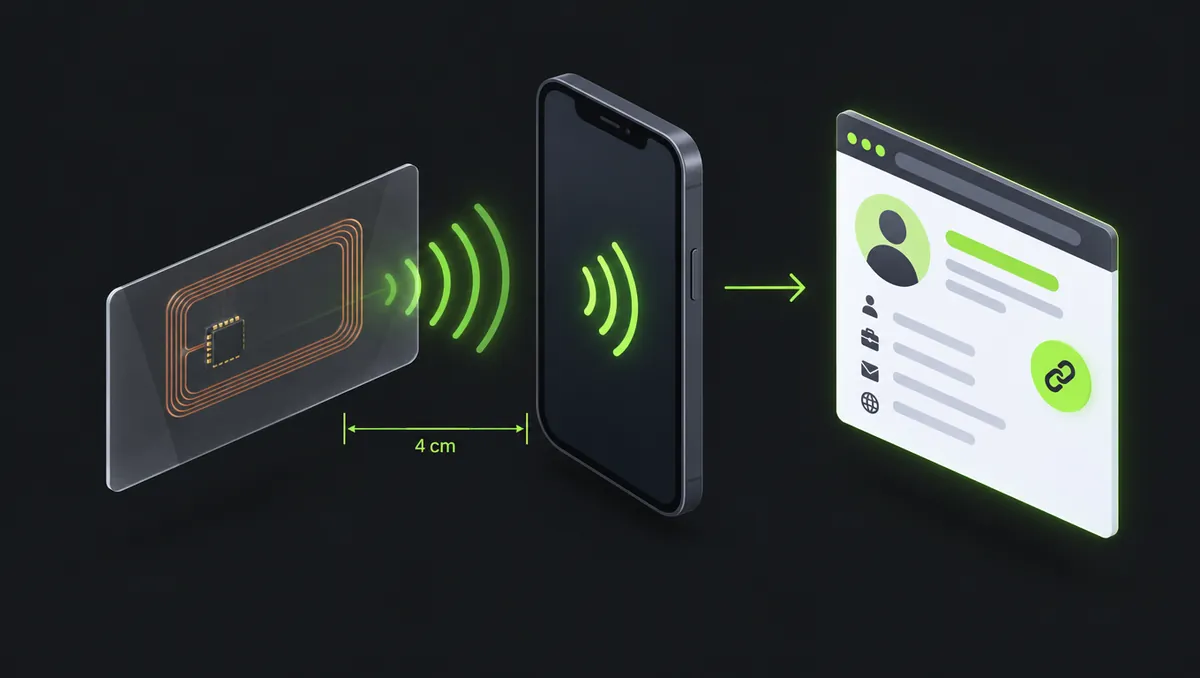
Someone who has never seen one can follow the process in a few seconds.
- Hand over the card and ask the other person to tap it on the upper back of their phone. The exact antenna position varies a little between models.
- The phone reads the link from the chip. An iPhone shows a notification, while Android opens the browser.
- The profile page opens. From there, they can call you, add you on LINE (the most-used messaging app in Thailand), visit your website or tap “Save contact”.
Tip: As you hand over the card, say “Just tap it on the upper back of your phone,” since many people don’t know where their NFC antenna is. If nothing happens, shift the card slightly and try again.
The link on the chip: direct link vs permanent (redirect) link
There are two approaches to the link on the chip, and your choice decides how long the card stays useful.
A direct link to the final destination, such as your Facebook or LINE link, is simple to set up. However, if you change your main channel, the chip must be rewritten. If it’s locked, you need a new card.
A permanent link points to a central system that redirects visitors to your profile. The link on the chip never changes for the life of the card. You can still edit the profile yourself at any time, track tap statistics, and disable a lost card without affecting your profile.
For example, a salesperson uses a personal LINE account with customers, and later the company sets up a LINE Official Account. Every card written with the personal LINE link now sends customers to the wrong place. With a permanent link, you update the LINE button on the profile, and every card instantly points to the new channel.
For businesses, we recommend the permanent link approach. You can’t take back cards you’ve handed out, but you can control where the link leads.
Common NTAG chips for NFC business cards
The most popular chips are NXP’s NTAG21x family, which follows the NFC Forum Type 2 Tag standard. They differ mainly in memory size.
| Chip | User memory | Best for |
|---|---|---|
| NTAG213 | 144 bytes | One short link |
| NTAG215 | 504 bytes | Longer links, with spare space for the future |
| NTAG216 | 888 bytes | More data, such as storing contact details directly on the chip |
According to NXP, these chips retain data for 10 years and support 100,000 write cycles. They can also be locked as read-only or protected with a password.
NTAG213 is enough for a short link, but NTAG215 gives you more room. Ask your card maker exactly which chip they use. If they can’t answer, ask a few more questions.
NFC business card vs paper card vs QR code: what’s the difference?
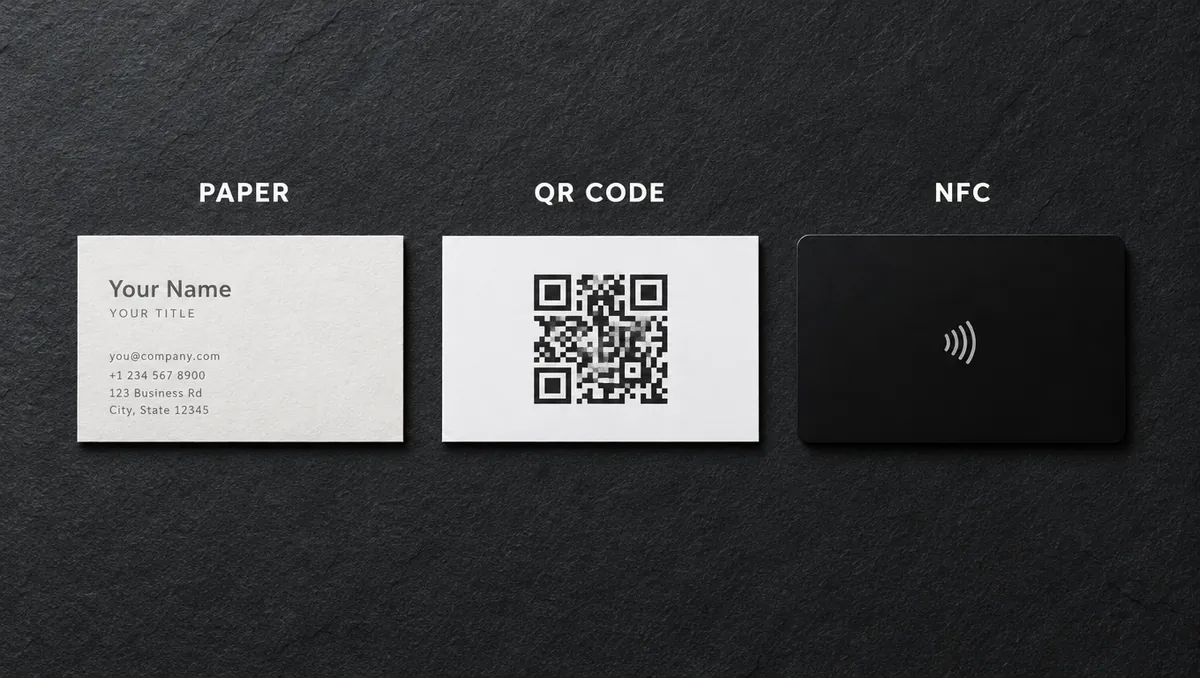
These three options don’t replace each other. Each suits different situations.
| Feature | Paper card | QR code card | NFC business card |
|---|---|---|---|
| How people get your details | Read it, then type the number or search the name | Open the camera and scan the code | Tap the card on the phone |
| Device needed | None | Phone with a camera | Phone with NFC (switched on, for Android) |
| Amount of information | Limited by space on the card | Unlimited (links to a web page) | Unlimited (links to a web page) |
| Update details later | No, you must reprint | Yes, with a dynamic QR or permanent link | Yes, with a permanent link |
| Tracking / statistics | No | Yes, with a system that counts scans | Yes, with a system that counts taps |
| Works on screen or online | No | Yes (on screens, slides, emails) | No, must be in person |
| Durability | Can crease, get wet or fade | Won’t scan if the code is badly faded or scratched | Won’t tap if the chip or antenna is damaged |
| Feel of the exchange | Familiar | Have to wait for the camera to open | Fast and memorable |
| Disable if lost | No | Yes, with a permanent-link system | Yes, with a permanent-link system |
With NFC vs QR code, both lead to the same web page. Only the route differs. QR codes work on more devices and can be shown on a screen, while NFC is faster and makes a better impression in person. Paper cards need no device, but you can’t update, track or disable them.
Why a good NFC business card should also have a QR code
NFC and QR codes aren’t competitors. The best setup puts both on the same card, pointing to the same link. People tap if their phone supports NFC, and scan if it doesn’t or NFC is turned off.
The same QR code can also go on your final presentation slide, email signature or event booth, so every channel leads to one profile. If the system separates statistics, you’ll see whether people tapped or scanned.
NFC business card vs digital business card: is there a difference?
A digital business card (sometimes called an online business card) is a web profile page with your contact details. An NFC business card is the physical card that opens that page. The digital business card is the destination, and NFC and QR codes are the doors.
However good the card looks, the impression disappears if the tap opens an incomplete or slow-loading page.
A good profile page should include a call button, a LINE button, a save-contact button and a button to your business website, not just a social media page. Your website is space your business actually owns. It can tell the full story of your products and services, and corporate clients see it as more credible. Read more in why your business needs a website, not just a fan page.
Which phones can read an NFC business card?
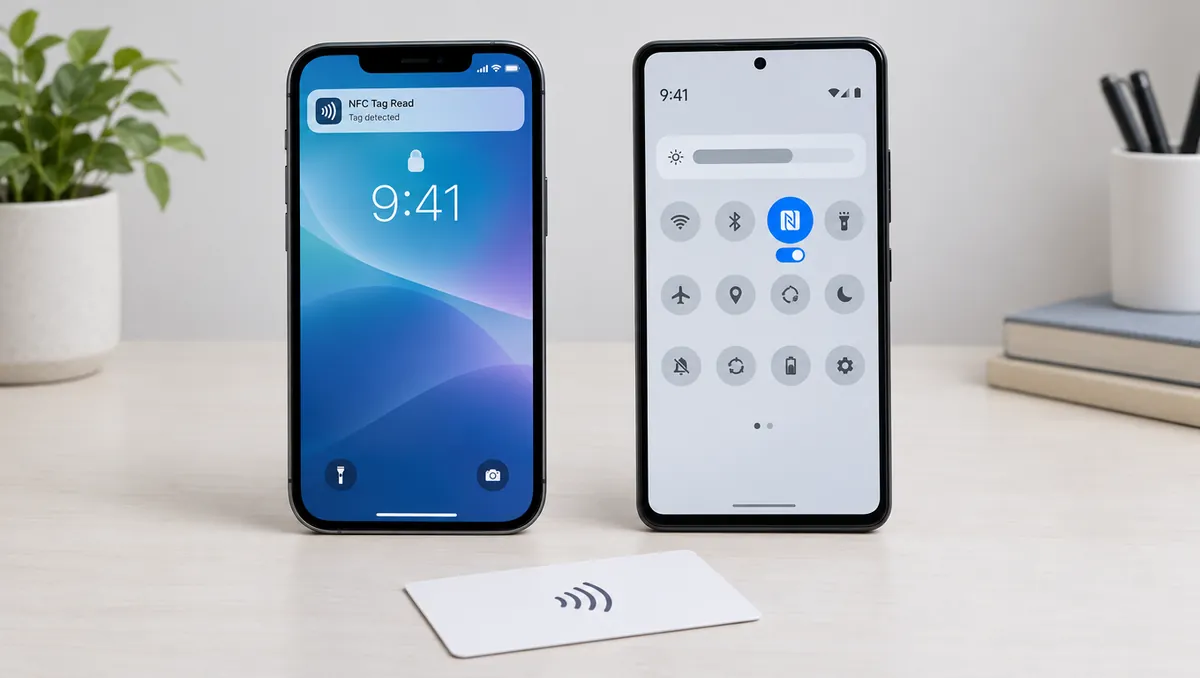
Most recent smartphones work, but iPhone and Android behave differently.
iPhone
According to Apple Developer, iPhone XS, iPhone XS Max, iPhone XR and later models support background tag reading. The phone can read an NFC tag containing a link on its own while the screen is on, with no app needed and no NFC switch in Settings. Tapping the card brings up a notification, which opens the link in Safari.
The phone must have been unlocked at least once since it was turned on. It also won’t read tags in the background while the camera is open, while Wallet or Apple Pay is in use, or in Airplane Mode.
We often see people spot the QR code, open their camera, then try tapping the card, and nothing happens. If a tap gets no response, close the camera or Wallet and try again, or just scan the QR code.
Android
Android phones with NFC hardware look for tags whenever the screen is unlocked, unless the user has turned NFC off in Settings (Android Developers).
Menu names vary by brand. On a Google Pixel (Pixel Phone Help), go to Settings → Connected devices → Connection preferences → NFC, then turn on “Use NFC”.
On other brands, search Settings for “NFC”. If nothing comes up, the phone doesn’t have NFC, so scan the QR code instead.
If the phone doesn’t have NFC
This is exactly why your card should also carry a QR code. Any phone with a camera and internet access can scan it and open the same profile. Just say “You can scan here instead.”
Real-world uses for NFC business cards
NFC business cards show their value most when you meet many people or when first impressions matter.
Seminars and networking events
Paper cards swapped at coffee breaks usually end up in a bag, never typed into a phone. With an NFC business card, the other person taps and saves you as a contact via vCard on the spot. Speakers can add the same QR code to their final slide.
Trade shows and event booths
Visitors tap a staff member’s card to get contact details, the catalogue and the website at once. If the system counts statistics, the number of taps and scans after the event helps you decide whether to exhibit there again.
Sales meetings
A card that opens a professional-looking profile is a good conversation starter. With a permanent-link system, when a staff member leaves or changes territory, the company can switch the number on the profile to the new account manager or disable that card. Customers holding the old card can still reach the company.
Pros and limitations of NFC business cards
No technology suits everyone, so weigh both sides before deciding.
Pros
- Share your details in a single tap, with no app needed on the other side.
- Include far more than a paper card can hold: phone, LINE, website, portfolio and map.
- Save straight to contacts with a vCard (.vcf) file, a standard format almost every phone can open.
- With a permanent link, edit details yourself without reprinting, track statistics and disable lost cards.
- One card lasts a long time, so you don’t reprint every time your details change.
Limitations
- You have to be in person. Tapping doesn’t work through a screen or online, so use a QR code or send the link instead.
- Some Android users keep NFC turned off, and some budget models don’t have NFC at all.
- An internet connection is needed to open the profile page.
- If you write a direct link and lock the chip, you can’t change the link.
- A bent card or damaged antenna may not tap reliably.
Adding a QR code to the card and planning your link from the start solves most of these. For durability, avoid bending the card often.
A privacy question to ask your provider
Any system that tracks taps collects some data. Ask what is collected, where it’s stored, who can access it, and whether you can delete your profile. This matters especially for organisations that must comply with Thailand’s PDPA, its personal data protection law, or similar rules elsewhere. If the answers are vague, think carefully before a company-wide rollout.
Checklist: how to choose an NFC business card that lasts
Before you order, check that:
- The link on the chip is one you’ll keep long term, or a permanent link from a system, not a social media link that may change often.
- You can edit your profile yourself on the web, without sending the card back to have the chip rewritten.
- There’s a QR code on the card as a backup for phones without NFC.
- The profile page has a save-contact (.vcf) button.
- You can view statistics and see whether visits came from taps or scans.
- Lost cards can be disabled and a new card linked to the same profile.
- The chip type is clearly stated, for example NTAG215.
- The profile includes a button to your business website, not just a social media page.
- The provider clearly explains how data is stored and deleted.
If you’re ordering for a whole organisation, trial the cards with two or three people first. Check that customers can tap easily and that the profile page works well for them, then roll out to the full team.
Want to try NFC business cards?
If NFC business cards fit the way you work, for yourself or your whole team, take a look at TNC Digital’s NFC business card service. We print the cards and write an NTAG215 chip in-house for every card. You choose the link written to the chip, and printed designs also include a QR code.
Not sure which option suits your business? Get in touch and we’ll talk it through based on how you’ll actually use the cards.
References
Frequently asked questions
What is an NFC business card?
How do NFC business cards work?
Do I need to turn on NFC on an iPhone?
Do I need to turn on NFC on Android?
Can phones without NFC use an NFC business card?
NFC vs QR code business card: which is better?
Can I change the information on an NFC business card?
By admin